


Black Screen Camera for iPhone & Android
Record video, photos, and audio with your screen off. Stay minimal, distraction-free, and battery efficient. Your media stays private in a local gallery — no tracking, no ads, no account. Available on the App Store and Google Play.
- Downloads
- 10,000+
- App Store rating
- 4.4 / 5
- 74 ratings
Stored locally
Recordings stay on your device, never uploaded.
No account
No sign-up, no email, no personal details.
No ads or tracking
Zero analytics SDKs and no advertising.
Works offline
Record anywhere without an internet connection.
Everything you need to record quietly
A complete black screen camera with professional features and privacy built in from day one.
Black Screen Recording
Your screen stays completely dark or shows a custom wallpaper while the camera actively records. No bright viewfinder, no distractions.
Private Gallery
All recordings save to a private in-app gallery by default. Your media stays separate from Camera Roll unless you choose to export.
Multiple Recording Modes
Photo, video up to 4K 60fps, high-quality stereo audio, and burst mode with custom intervals.
Full Camera Control
Switch between front and back cameras. Use ultra wide, wide, and telephoto lenses with resolution and frame rate settings.
Lock Screen Disguise
Choose built-in wallpapers with an optional clock overlay. Your screen can look like a regular lock screen while recording.
Minimal Interface
Long press to hide all controls. Tap anywhere on screen to capture. No visible buttons — just a clean, dark screen.
Action Button Support
On compatible iPhones, assign custom recording actions to the Action Button for instant capture without opening the app interface.
Battery Efficient
A dark screen uses significantly less power than a bright viewfinder, so you can record longer on a single charge.
Privacy First
No analytics, no tracking, no ads, no account required. All media stored locally on your device.
Timestamp Overlay
On iOS, optionally add date and time directly to your photos and videos for documentation and organization. Timestamp overlays are not available on Android.
How it works
Start recording in seconds. No complicated setup.
Download QuietCam
Get QuietCam free from the App Store or Google Play. No account or sign-up required.
Choose Your Mode
Select photo, video, audio, or burst mode. Pick black screen, lock screen wallpaper, or a custom background.
Start Recording
Tap anywhere to capture. Long press to hide controls. On supported iPhones, use the Action Button for instant recording.
Review & Export
Access your private gallery anytime. Export to your photo library or share when you're ready.
See QuietCam in action
Photo, video, audio, and burst modes — all with a screen that stays dark and a private in-app gallery.
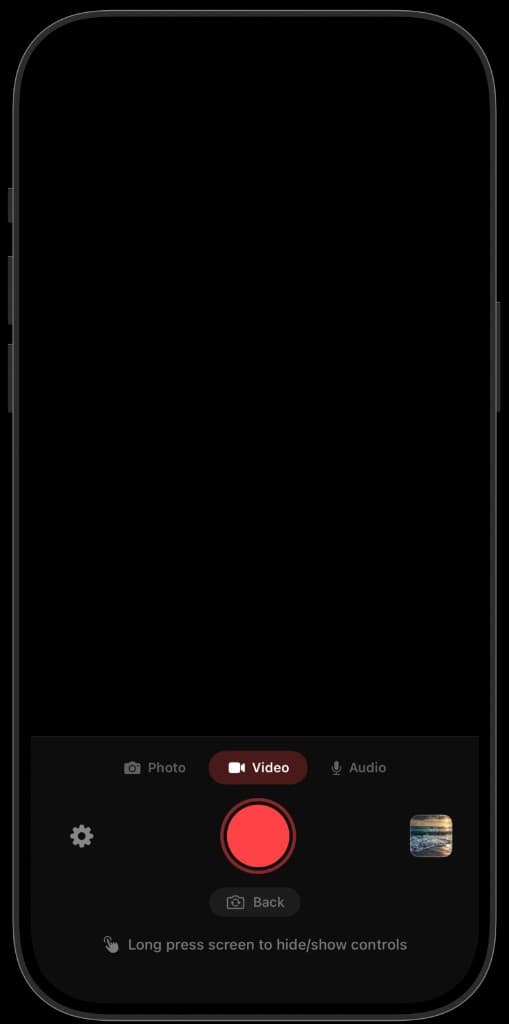
One-tap video recording
Switch between Photo, Video, and Audio. Tap the shutter to start recording — the viewfinder stays completely black.
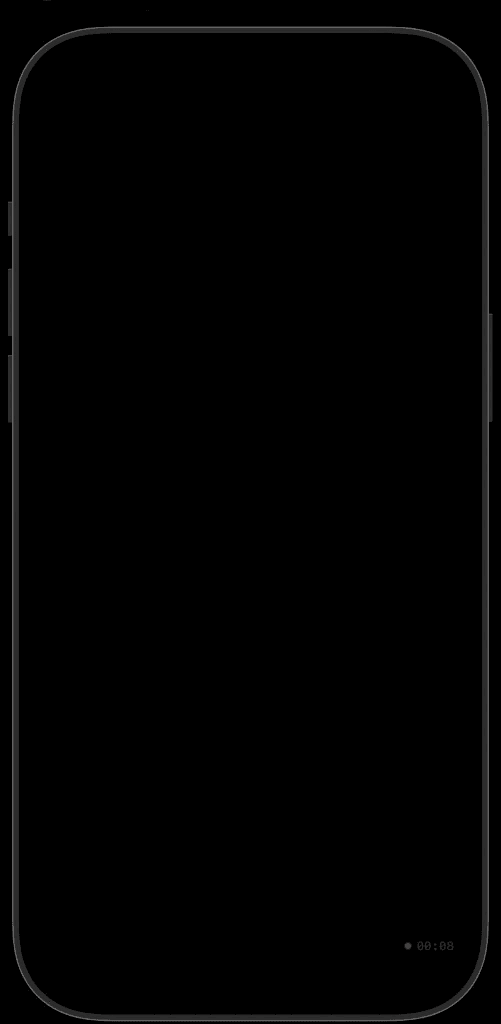
Records with the screen dark
Long press to hide every control. On iOS you can also hide the timestamp and red recording dot for a completely black screen while it keeps capturing.
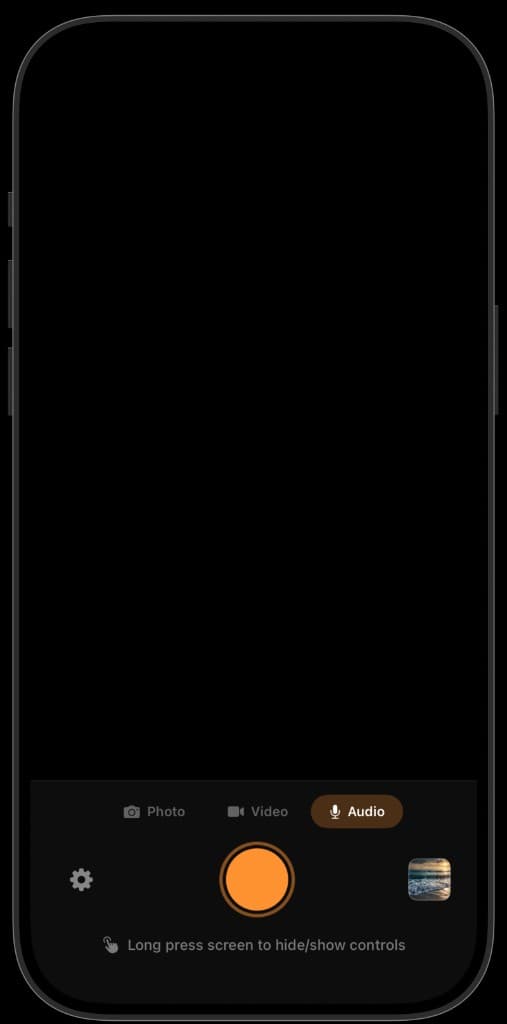
High-quality audio recording
Record stereo audio only when you don't need video. Perfect for lectures, interviews, and voice notes.
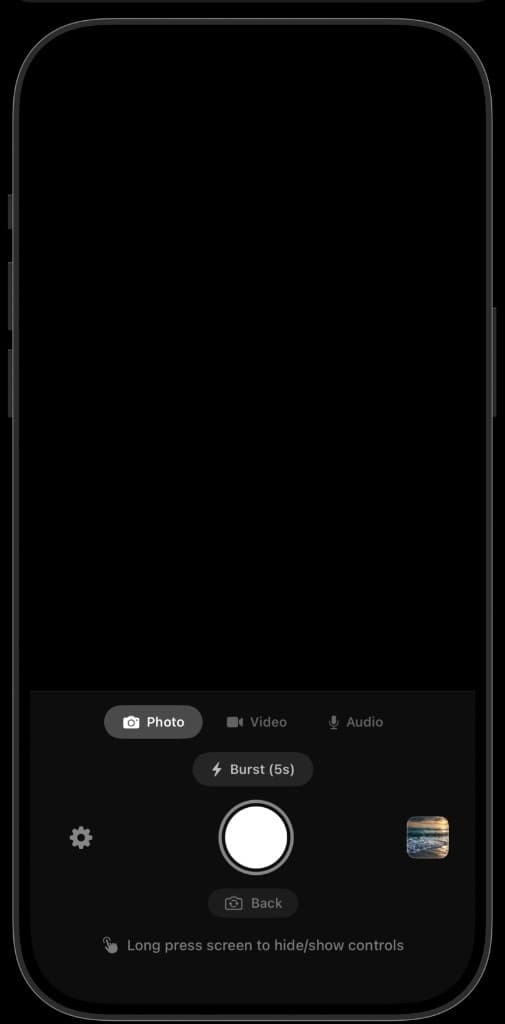
Automatic burst photos
Capture photos automatically at a custom interval. Set it once and let QuietCam do the rest.
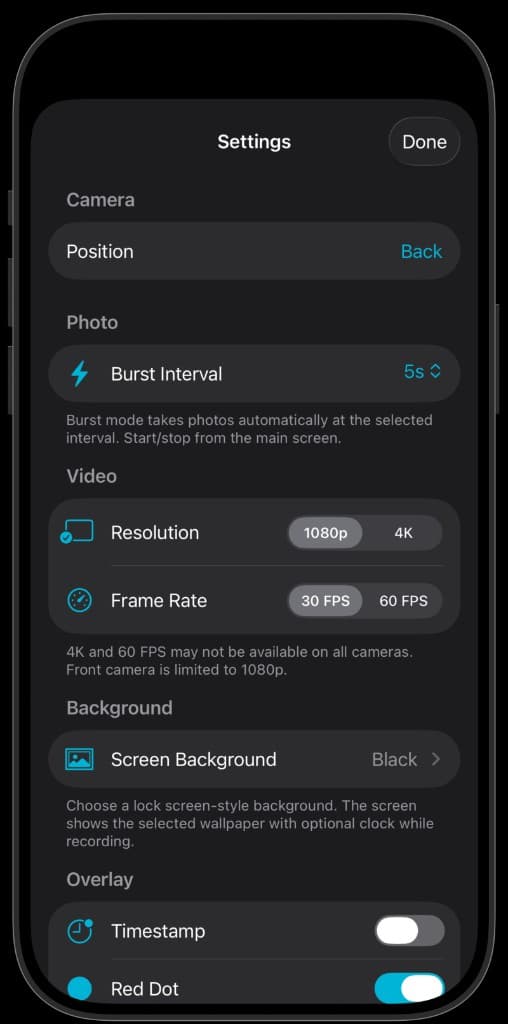
Full control over quality
Choose camera position, resolution up to 4K, frame rate, screen background, and the recording indicator. Timestamp overlays are available on iOS.
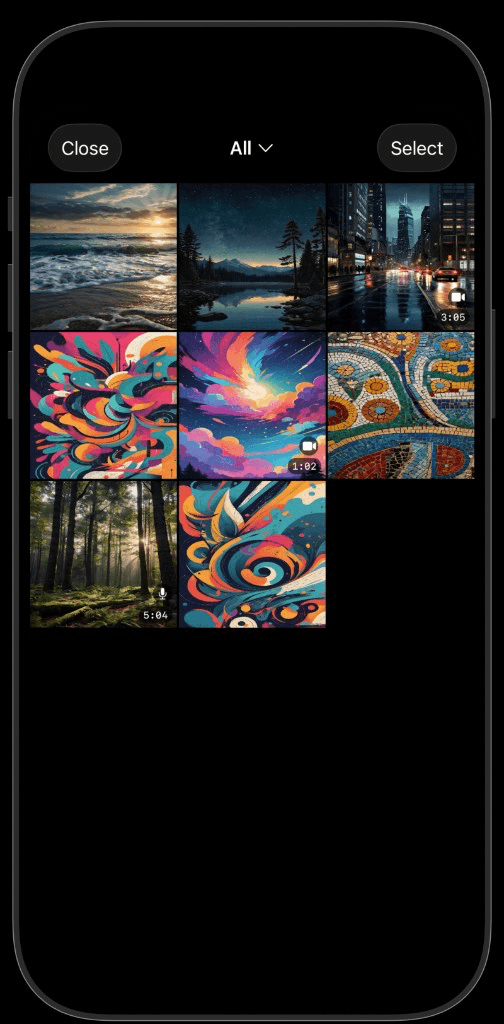
A private in-app gallery
Every recording is saved to a private gallery, kept separate from your Camera Roll until you choose to export.
Why choose QuietCam?
See how QuietCam compares to the built-in Camera app and other alternatives.
| Feature | QuietCam | Built-in Camera | Other Apps |
|---|---|---|---|
| Black screen recording | Yes | No | Yes |
| 4K 60fps video | Yes | Yes | Some |
| Audio-only recording | Yes | No | No |
| Burst mode | Yes | Yes | No |
| Private gallery | Yes | No | Some |
| No analytics/tracking | Yes | No | Some |
| Action Button support (iOS) | Yes | No | No |
| Timestamp overlay (iOS) | Yes | No | No |
| Available on Android | Yes | No | Some |
| Lock screen disguise | Yes | No | No |
| Battery efficient (dark screen) | Yes | No | Yes |
| Tap anywhere to capture | Yes | No | No |
Loved by mobile users
Rated 4.4 out of 5 from 74 App Store ratings, with over 10,000+ downloads.
“Love it”
“Finally an app that lets me record lectures without the bright screen distracting everyone around me. The battery savings are a huge bonus.”
“The private gallery is exactly what I needed. My recordings stay organized and separate from my personal photos.”
Guides & tutorials
Learn how to get the most out of black screen recording on your iPhone.
How to Record Video With Screen Off on iPhone
Recording video while your iPhone screen stays black saves battery, reduces distraction, and keeps recording discreet. QuietCam makes it simple with one-tap capture and a built-in private gallery.
Read guideBest Black Screen Camera App for iPhone in 2025
Looking for a black screen camera app on iPhone? QuietCam records photos, video, and audio with the screen off, stores media in a private gallery, and offers PRO features like 4K 60fps without ads or tracking.
Read guideHow to Record Lectures on iPhone
Recording lectures on iPhone helps you review material later, but a bright screen distracts classmates. QuietCam captures audio and video with the screen off and stores everything in a private gallery.
Read guideHow to Record Audio With Screen Off on iPhone
Need to capture clear audio without a glowing screen? QuietCam PRO records high-quality audio with the display off, stores files locally, and keeps your iPhone looking idle.
Read guideDiscreet Camera Recording on iPhone: Complete Guide
Discreet recording on iPhone means capturing photos, video, or audio without drawing attention. QuietCam's black screen interface, private gallery, and offline storage make it the top choice for respectful, low-profile capture.
Read guideHow to Save Battery While Recording Video on iPhone
Recording video drains iPhone battery fast, especially with the stock Camera app. QuietCam's black screen approach and smart settings help you capture longer sessions on a single charge.
Read guideFrequently asked questions
Is my data private with QuietCam?
Yes. QuietCam stores all recordings locally on your iPhone and does not collect analytics, run ads, or require an account. Your media never leaves your device unless you choose to export it.
Does QuietCam work offline?
Yes. QuietCam works completely offline for recording, playback, and gallery management. You only need an internet connection to download the app or manage your PRO subscription through the App Store.
Can I export recordings to my Camera Roll?
Yes. QuietCam saves recordings to a private in-app gallery by default, but you can export any item to your Camera Roll or share it through the iOS share sheet whenever you choose.
What is the QuietCam PRO subscription?
QuietCam PRO is an optional subscription that unlocks 4K 60fps video recording, high-quality stereo audio capture, and burst mode with custom intervals. Plans are $3.99/week, $9.99/month, or $34.99/year.
How does black screen recording work in QuietCam?
QuietCam runs the camera in the background while displaying a black screen, lock screen wallpaper, or custom image on your display. You tap anywhere on the dark screen to capture, and the camera records normally despite the invisible interface.
Is recording with QuietCam legal?
QuietCam is a standard camera app, and the legality of recording depends on your local laws, the setting, and whether consent is required. You are responsible for knowing and following applicable recording and privacy regulations.
Ready to record with your screen off?
Download QuietCam free on iPhone or Android. No account required. Start your PRO free trial anytime — pricing is the same on both platforms.
