


QuietCam Features
A complete black screen camera for iPhone and Android. Record with your screen off, keep media in a private gallery, and enjoy professional controls — all without tracking or ads.
Black Screen Recording
Your screen stays completely dark or shows a custom wallpaper while the camera actively records. No bright viewfinder, no distractions.
Private Gallery
All recordings save to a private in-app gallery by default. Your media stays separate from Camera Roll unless you choose to export.
Multiple Recording Modes
Photo, video up to 4K 60fps, high-quality stereo audio, and burst mode with custom intervals.
Full Camera Control
Switch between front and back cameras. Use ultra wide, wide, and telephoto lenses with resolution and frame rate settings.
Lock Screen Disguise
Choose built-in wallpapers with an optional clock overlay. Your screen can look like a regular lock screen while recording.
Minimal Interface
Long press to hide all controls. Tap anywhere on screen to capture. No visible buttons — just a clean, dark screen.
Action Button Support
On compatible iPhones, assign custom recording actions to the Action Button for instant capture without opening the app interface.
Battery Efficient
A dark screen uses significantly less power than a bright viewfinder, so you can record longer on a single charge.
Privacy First
No analytics, no tracking, no ads, no account required. All media stored locally on your device.
Timestamp Overlay
On iOS, optionally add date and time directly to your photos and videos for documentation and organization. Timestamp overlays are not available on Android.
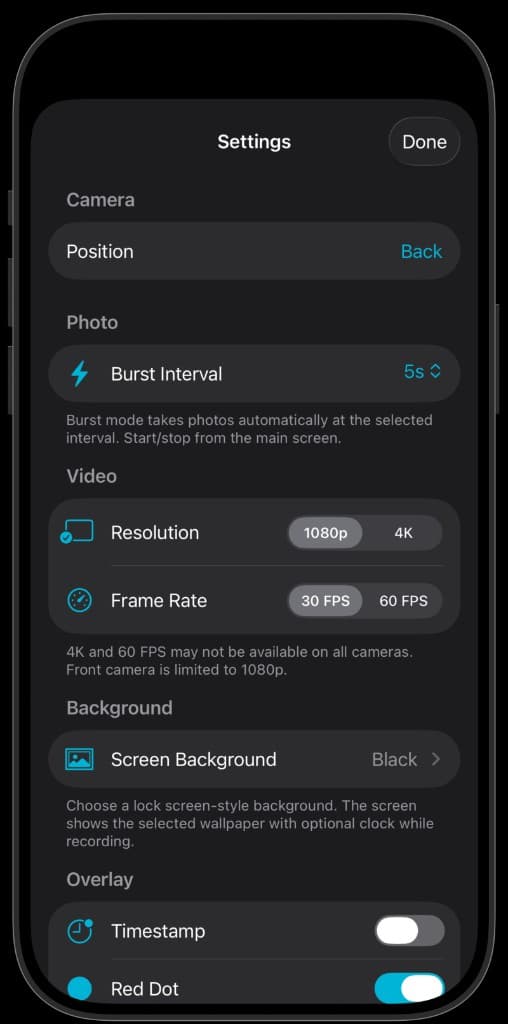
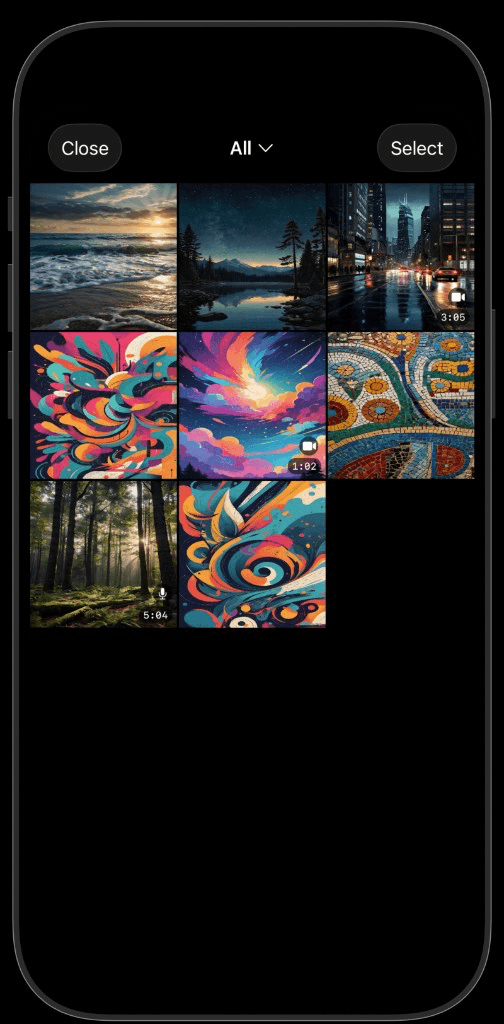
Powerful settings, private by default
Fine-tune resolution up to 4K, frame rate, burst interval, screen background, and the recording indicator. On iOS you can also add a timestamp overlay. Everything you capture lands in a private in-app gallery that stays separate from your photo library until you decide to export.
Recording Modes
QuietCam supports four recording modes to fit every situation. Capture a single photo with one tap, record video up to 4K at 60 frames per second with PRO, record high-quality stereo audio, or use burst mode to automatically capture photos at custom intervals.
- • Photo — instant single-tap capture
- • Video — up to 4K 60fps (PRO)
- • Audio — stereo recording (PRO)
- • Burst — automatic interval capture (PRO)
Display Modes
Choose how your screen looks while recording. Pure black screen for maximum discretion and battery savings. Lock screen style wallpaper with an optional clock overlay so your phone looks idle. Or upload your own custom background image.
- • Pure black screen
- • Lock screen wallpaper with clock
- • Custom background upload
- • Long press to hide all controls
Camera Control
Full access to your device's camera hardware. Switch between front and back cameras, use available lenses, and configure video resolution and frame rate. Optional timestamp overlay (iOS only) adds date and time to your photos and videos.
Privacy & Storage
All recordings save to a private in-app gallery by default — separate from your photo library. No analytics, no tracking, no ads, no account required. Export or share only when you choose.
Ready to record with your screen off?
Download QuietCam free on iPhone or Android. No account required. Start your PRO free trial anytime — pricing is the same on both platforms.
